How PLAID3.hub Works
One platform. Two experiences. Zero IT overhead. Here's what your patrons and your staff will actually see.
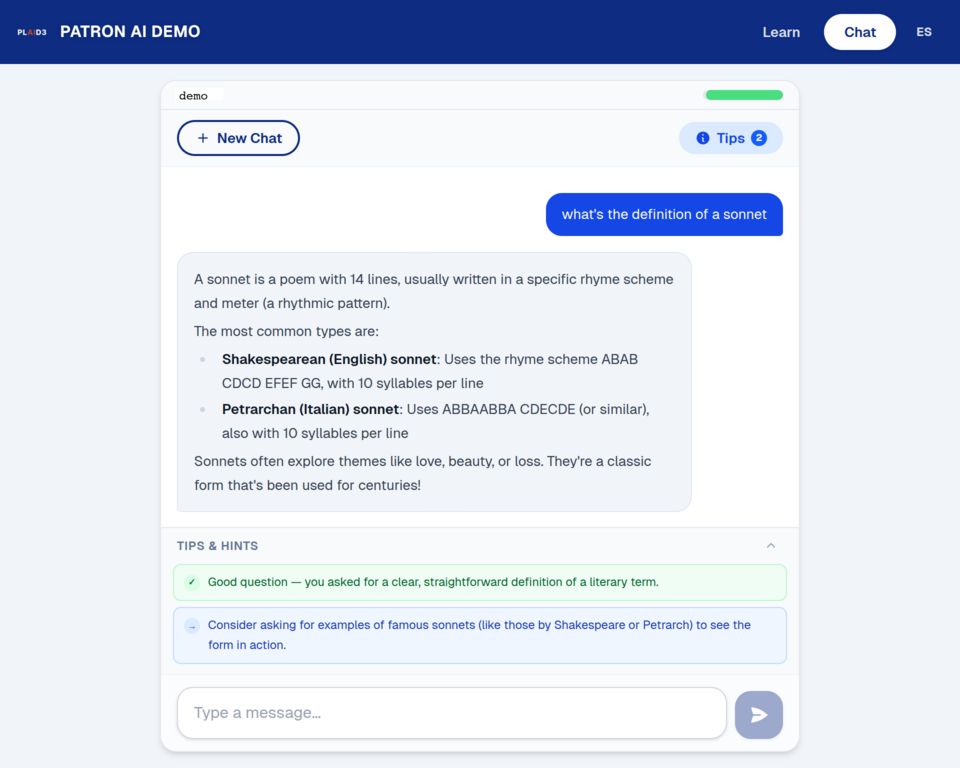
A guided AI chat built for people who've never tried it
Patrons access the chat through a browser — any library PC or their own phone. No download, no account, no personal information required. A library-issued access code is all they need.
Alongside every conversation, a live coaching panel offers real-time tips and hints to help patrons ask better questions and get more out of the interaction.
- Works on library PCs and patron phones
- Access via link or library-issued code
- Real-time tips and hints alongside the chat
- Designed for people new to AI
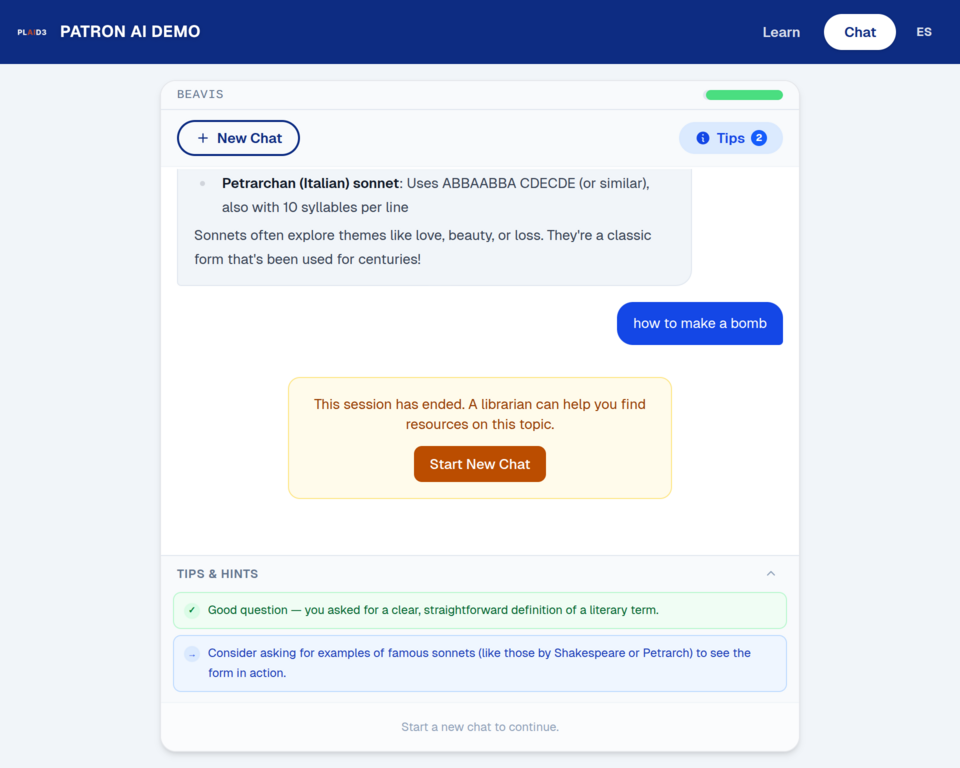
No dead ends. No cryptic errors.
When a query falls outside permitted topics, the patron sees a friendly, non-punitive message that routes them to a librarian for help. The session ends cleanly — no confusion, no shame.
- Patron sees a warm, clear message — not an error code
- Prompted to ask a librarian, keeping the human connection
- Admin sees aggregate blocked query counts by category — no individual queries visible
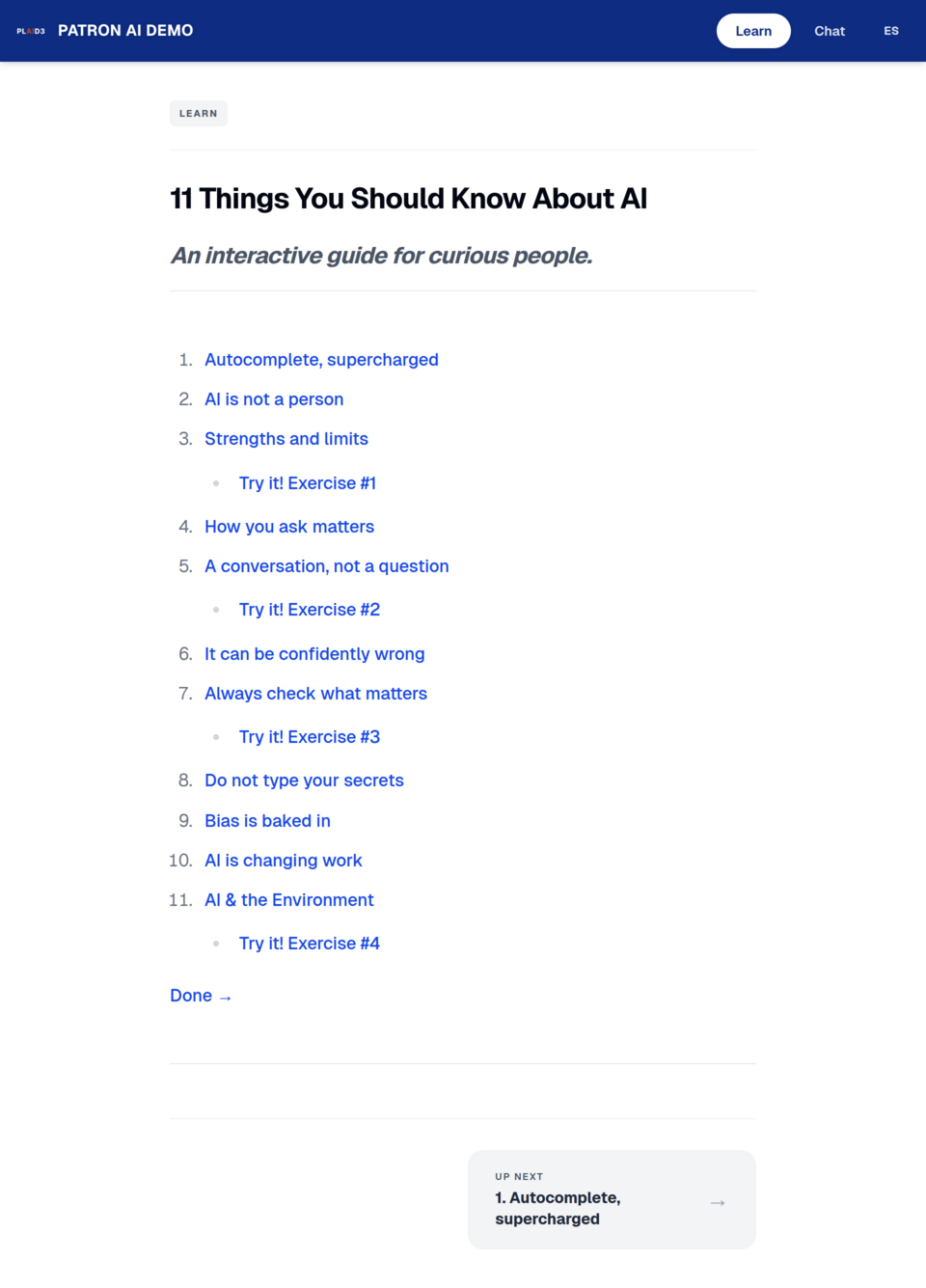
"11 Things You Should Know About AI"
A self-paced, beginner-friendly curriculum built right into the platform. No staff facilitation required.
Learn by doing — with a live AI pane alongside every lesson
Each lesson teaches a key AI concept and then puts a real chat window right on the page so patrons can immediately try what they just learned.
- 11 lessons covering how AI works, strengths, limits, privacy, and bias
- Four "Try it!" interactive exercises embedded in the course
- Live AI chat pane available before and after each lesson
- Built for older adults, job seekers, students, and curious community members
- No staff facilitation required
- Positions the library as a digital literacy leader
- Now available in Spanish!
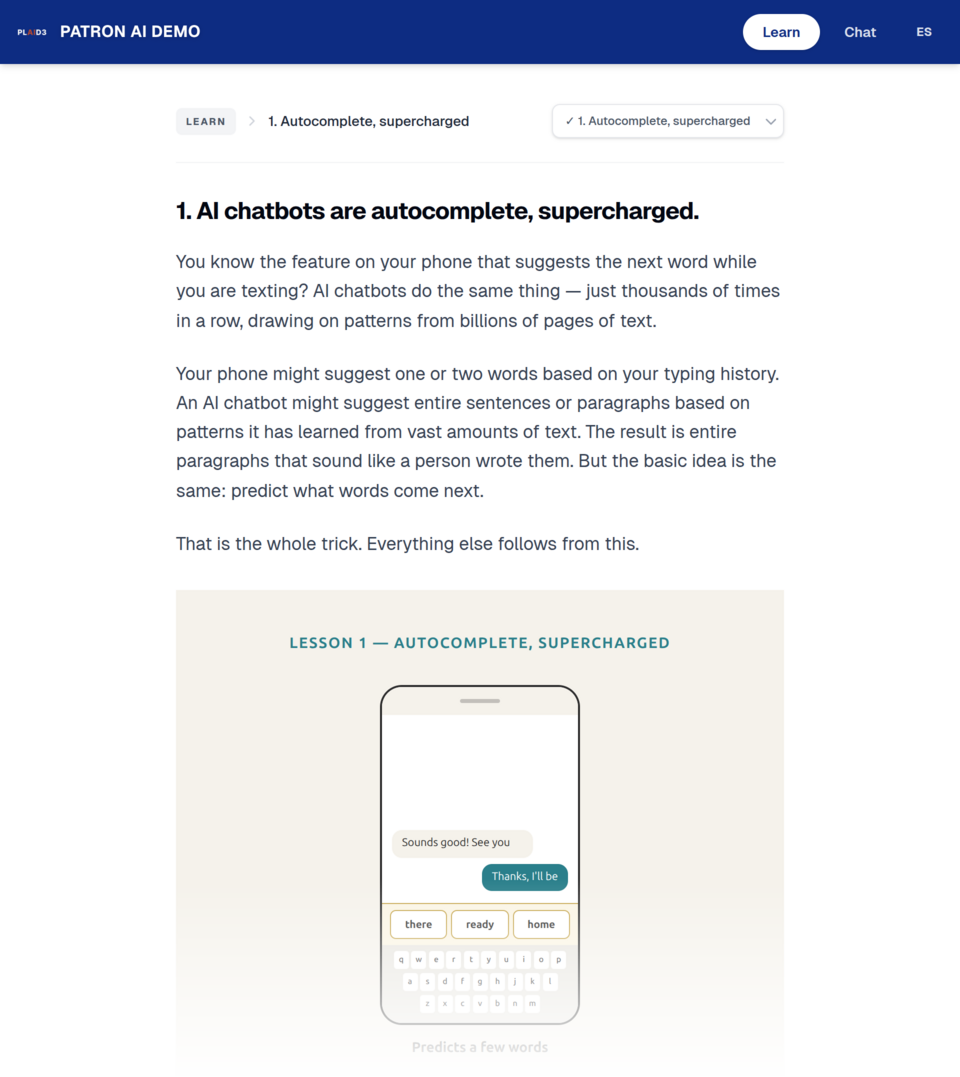
Lesson pages use plain language and relatable analogies.
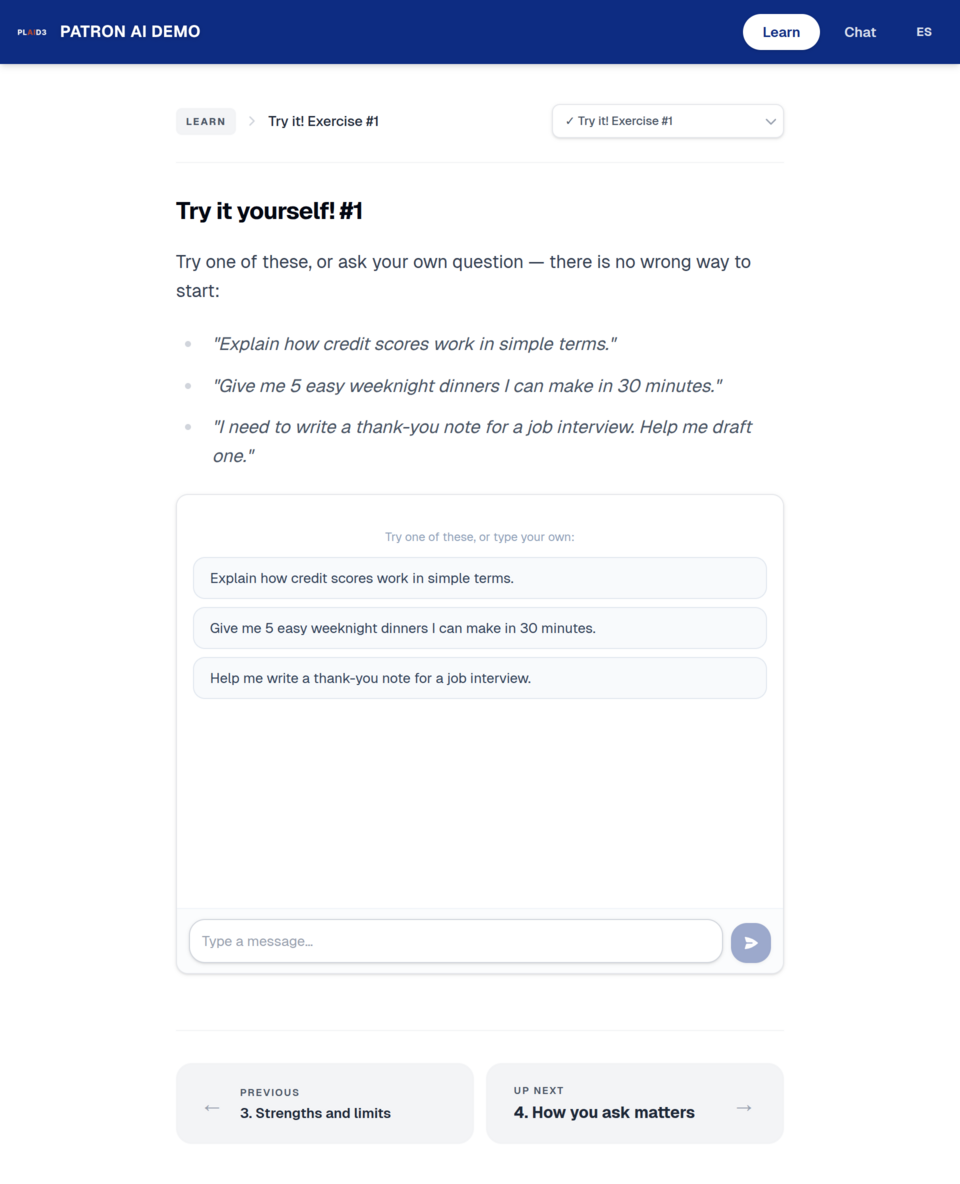
Interactive exercises put a live AI chat right on the page.
Usage data that speaks board-meeting language
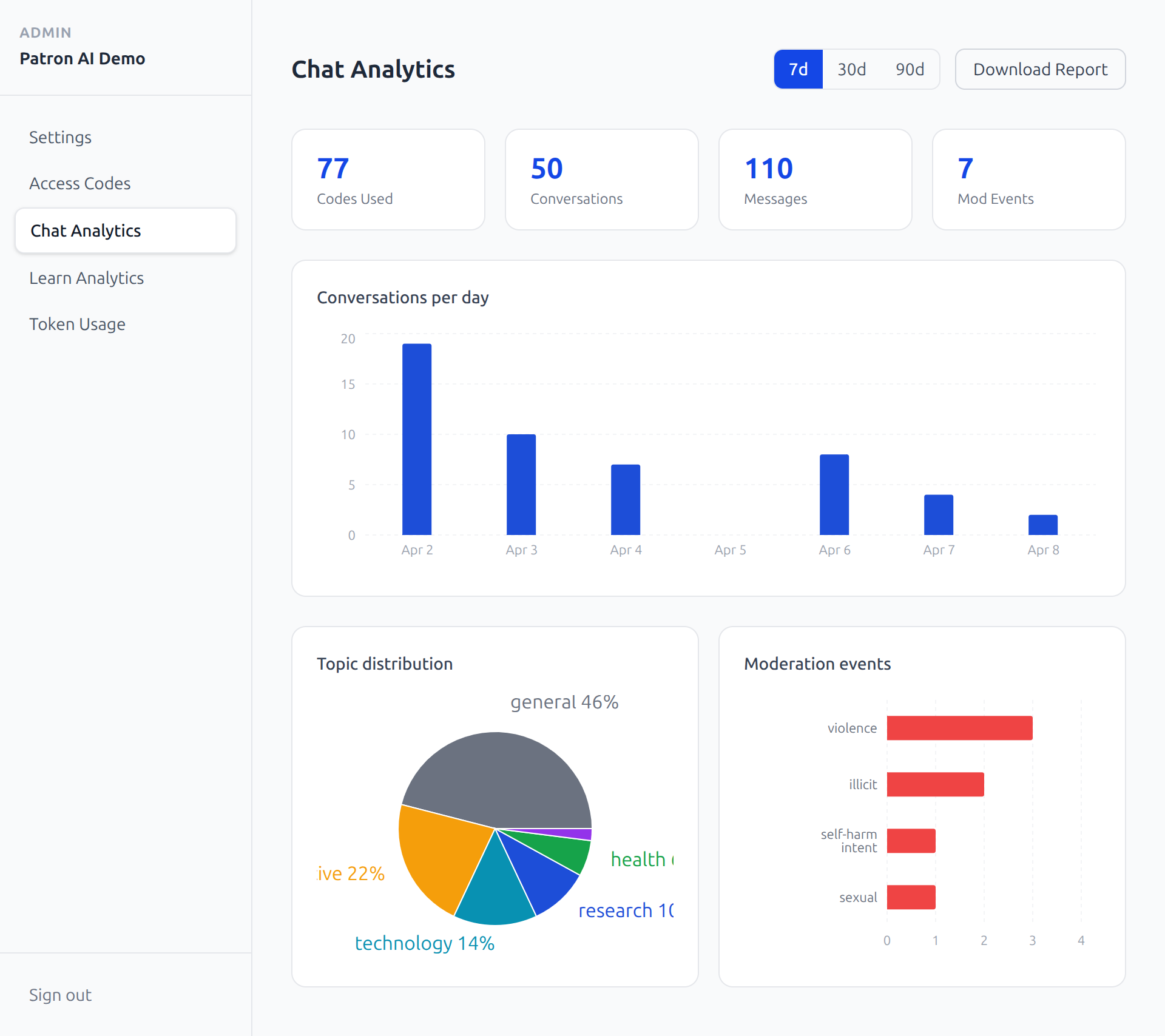
The admin dashboard gives library staff and directors a clear, aggregate view of how the platform is being used — without exposing any individual patron data.
- Sessions per day, week, or month
- Topic distribution across conversation categories
- Blocked query counts by moderation category
- One-click PDF board report export
- Branding controls: logo, colors, custom welcome message
- Full access code management
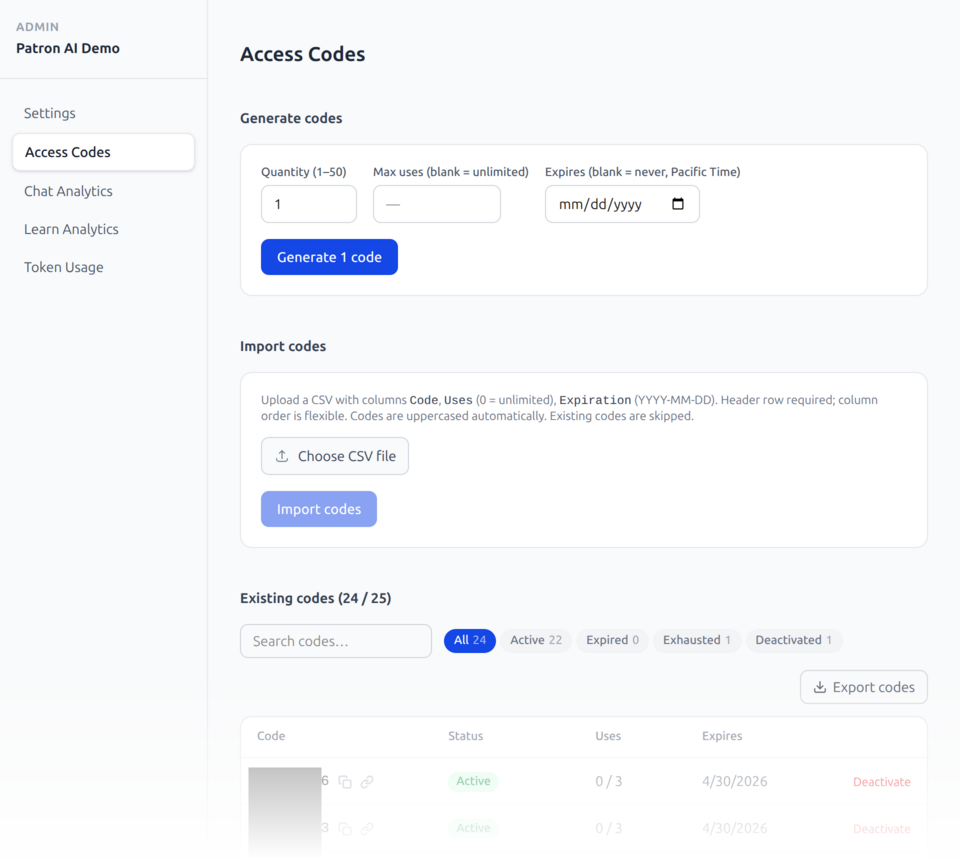
Generate, import, and manage access codes in seconds
No SIP2 integration needed to get started. Create codes in bulk, set usage limits and expiration dates, and import existing codes via CSV. Codes can be deactivated at any time.
- Generate 1–50 codes at a time
- Set per-code usage limits and expiration dates
- Bulk import via CSV
- Filter and search existing codes
- SIP2 and IP-based auth on the roadmap
Three layers of protection — always on
Basic rules always in place; add your additional rules on top for full control.
Platform floor — non-negotiable
Illegal content, sexually explicit material, content harmful to minors. Always on, cannot be loosened by any admin.
Library policy layer — customizable
Configurable via the admin panel. Libraries can add restrictions on top of the floor. Cannot remove floor-level protections.
Real-time AI moderation — automated
Automated screening during every live session. Powered by OpenAI Omni Moderation running alongside Claude.
Built to minimize IT friction
No IT integration required
Access codes get you live on day one. No network changes, no firewall rules, no SIP2 configuration needed to launch.
Powered by Claude
The patron chat runs on Anthropic's Claude model. Real-time moderation is assisted by OpenAI Omni Moderation.
Auth roadmap
SIP2 integration and IP-based authentication are on the roadmap for libraries that want tighter integration with their ILS.